
ASUS Vivobook 14 Flip TP3407SA Review: A Powerful AI-Powered 2-in-1 Laptop
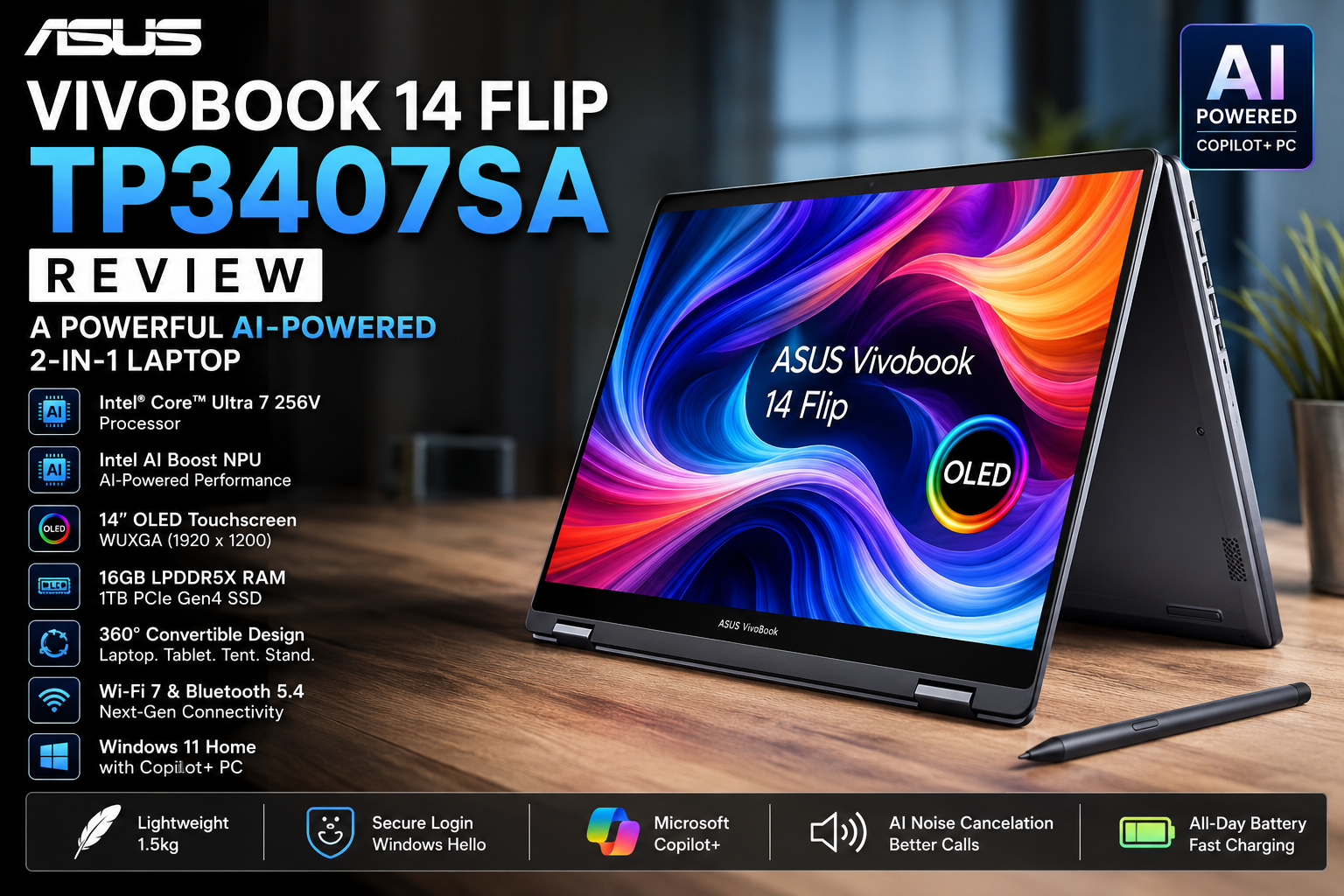
ASUS Vivobook 14 Flip TP3407SA Review: Is This AI-Powered 2-in-1 Laptop Worth Buying in 2026?
Choosing a laptop today is no longer just about picking the fastest processor or the biggest SSD. Most buyers want a device that can comfortably handle work, study, entertainment, and the growing number of AI-powered features built into Windows 11. That's exactly where the ASUS Vivobook 14 Flip TP3407SA-QL010W aims to stand out.
Powered by the Intel® Core™ Ultra 7 256V processor, this convertible laptop combines Intel's latest AI architecture with a vibrant 14-inch OLED touchscreen, 16GB LPDDR5X memory, a 1TB PCIe Gen4 SSD, and support for Microsoft Copilot+ PC experiences. Rather than focusing on raw performance alone, ASUS has designed this model to deliver a balanced experience for users who need flexibility throughout the day.
Its 360-degree hinge allows you to switch effortlessly between laptop, tablet, tent, and stand modes, making it equally suitable for writing reports, attending online meetings, sketching ideas, watching films, or presenting to clients. While the hardware specifications look impressive on paper, the real question is whether they translate into a better everyday experience.
After analysing the official specifications, Intel's latest platform improvements, and how this model compares with other premium 2-in-1 laptops in its category, here's everything you need to know before deciding whether the ASUS Vivobook 14 Flip TP3407SA deserves a place on your shortlist.
ASUS Vivobook 14 Flip TP3407SA Overview
ASUS has steadily refined its Vivobook series over the past few years, positioning it between budget everyday laptops and the premium Zenbook range. The Vivobook 14 Flip TP3407SA continues that approach by offering modern hardware, a premium OLED display, and AI-ready performance without entering the ultra-premium price segment.
One of the biggest upgrades in this generation is the inclusion of Intel's Core Ultra Series 2 processor. Unlike previous Intel laptop chips, this platform includes three specialised computing engines:
CPU for everyday applications and multitasking
Intel Arc Graphics for creative workloads and light gaming
Intel AI Boost NPU for running AI-powered features efficiently
The dedicated Neural Processing Unit (NPU) is particularly important because Windows 11 is increasingly relying on on-device AI. Features such as Microsoft Copilot+, live captions, background effects during video calls, and future AI tools can run more efficiently while consuming less battery power than if they relied solely on the CPU.
Another standout feature is the convertible design. Thanks to its durable 360-degree hinge, the laptop easily adapts to different working styles. Whether you're typing an assignment, taking handwritten notes, presenting slides in tent mode, or relaxing with Netflix in tablet mode, switching between modes takes only a few seconds.
Instead of chasing benchmark numbers alone, ASUS has focused on building a laptop that feels practical for everyday users. On paper, the combination of modern hardware, AI acceleration, and an OLED touchscreen makes the TP3407SA one of the more interesting 2-in-1 laptops available in 2026.
Key Specifications
| Specification | Details |
|---|---|
| Model | ASUS Vivobook 14 Flip TP3407SA-QL010W |
| Processor | Intel® Core™ Ultra 7 256V |
| AI Processor | Intel AI Boost NPU |
| Graphics | Intel® Arc™ Graphics |
| Display | 14-inch OLED Touchscreen |
| Resolution | WUXGA (1920 × 1200) |
| Aspect Ratio | 16:10 |
| Refresh Rate | 60Hz |
| Memory | 16GB LPDDR5X |
| Storage | 1TB PCIe Gen4 SSD |
| Operating System | Windows 11 Home |
| AI Features | Microsoft Copilot+ PC |
| Laptop Type | 2-in-1 Convertible |
| Wireless | Wi-Fi 7 & Bluetooth 5.4 |
| Security | Windows Hello |
| Keyboard | Backlit Keyboard |
| Colour | Matte Grey |
| Weight | Approximately 1.5kg |
Looking at the specifications alone, ASUS has equipped this laptop with components that are well suited to productivity, multimedia, and AI-assisted workflows. While gamers and professional video editors may still prefer laptops with dedicated graphics cards, this configuration should comfortably meet the needs of students, office professionals, business users, and content creators working on light to moderate creative projects.
Design and Build Quality
One of the first things that stands out about the ASUS Vivobook 14 Flip TP3407SA is its understated, professional appearance. Rather than relying on flashy colours or aggressive styling, ASUS has opted for a clean matte grey finish that looks equally at home in a university lecture hall, a coffee shop, or a business meeting.
The aluminium chassis gives the laptop a more premium feel than many plastic-bodied alternatives in the same category. Although this isn't marketed as a rugged business laptop like the ASUS ExpertBook series, the construction appears solid enough for everyday commuting and frequent travel. ASUS has also built the hinge to withstand repeated opening and closing, which is especially important on convertible devices where the display rotates a full 360 degrees.
At approximately 1.5kg, the Vivobook 14 Flip strikes a sensible balance between portability and durability. It's light enough to carry in a backpack throughout the day without feeling fragile, while still offering enough structural rigidity to inspire confidence during regular use.
A Convertible That Adds Real Value
Many 2-in-1 laptops include a rotating hinge, but not every user ends up taking advantage of it. In the case of the Vivobook 14 Flip, the flexibility genuinely expands how the laptop can be used.
For example:
A student can type lecture notes in laptop mode before switching to tablet mode for reading digital textbooks.
Professionals can present slides in tent mode without needing additional accessories.
Travellers can place the laptop in stand mode when watching films on a flight or in a hotel room.
Creative users can sketch ideas or annotate documents directly on the touchscreen when paired with a compatible stylus.
These are practical everyday scenarios rather than niche use cases, making the convertible design more than just a marketing feature.
Everyday Practicality
ASUS has also paid attention to the small details that contribute to daily usability. The edges are rounded for a comfortable grip, the overall footprint is compact enough for most backpacks, and the minimalist design avoids attracting fingerprints as quickly as high-gloss finishes.
Compared with many budget convertibles, the TP3407SA feels more refined and modern. While premium competitors like the Lenovo Yoga series or HP Spectre models may offer slightly more luxurious finishes, ASUS delivers an impressive balance of build quality, portability, and value.
14-inch OLED Touchscreen Display
If there's one feature that immediately elevates the ASUS Vivobook 14 Flip above many similarly priced laptops, it's the 14-inch OLED touchscreen.
While processors naturally receive most of the attention, the display is the component you'll spend hours looking at every day. Whether you're editing spreadsheets, watching YouTube, attending video meetings, or browsing the web, screen quality has a direct impact on the overall user experience.
ASUS has equipped this model with a WUXGA (1920 × 1200) OLED panel featuring a taller 16:10 aspect ratio. Compared with traditional Full HD (16:9) displays, the additional vertical screen space makes documents, websites, and spreadsheets easier to work with because you can see more content without constantly scrolling.
Why OLED Still Stands Out
OLED technology offers several advantages over conventional LCD displays:
True blacks for deeper contrast
More vibrant and accurate colours
Improved HDR support
Excellent viewing angles
Faster pixel response times
Better visual depth when watching films or editing photos
The result is a display that feels noticeably richer than many IPS panels commonly found in mainstream laptops.
For users who stream films, edit holiday photos, or simply appreciate high-quality visuals, this is one of the strongest reasons to consider the Vivobook 14 Flip.
A Better Display for Everyday Work
The touchscreen isn't just useful for creative tasks. During everyday use, Windows 11 feels more natural when you can tap menus, scroll through webpages, zoom into documents, or quickly navigate applications without relying entirely on the touchpad.
The display is particularly effective when using the laptop in tablet or stand mode, where touch interaction becomes the primary method of navigation.
The glossy finish helps colours appear more vibrant indoors, although it can produce reflections in direct sunlight. This is a common trade-off with OLED touchscreens rather than a limitation unique to ASUS.
Is the 60Hz Refresh Rate a Drawback?
One specification that some buyers may notice is the 60Hz refresh rate. While several premium laptops now offer 90Hz or 120Hz displays, this shouldn't be a major concern for the audience ASUS is targeting.
For office work, studying, streaming, web browsing, and creative productivity, 60Hz remains perfectly adequate. Users primarily interested in competitive gaming may prefer a higher refresh rate, but this laptop isn't designed as a dedicated gaming machine.
Instead, ASUS has prioritised colour accuracy, image quality, battery efficiency, and touchscreen functionality—areas that are likely to matter more to the majority of buyers considering a premium 2-in-1 convertible.
Performance: Intel Core Ultra 7 256V in Everyday Use
The biggest hardware upgrade in the ASUS Vivobook 14 Flip TP3407SA is its Intel® Core™ Ultra 7 256V processor. Built on Intel's latest Core Ultra Series 2 platform, this chip is designed for more than just higher benchmark scores—it focuses on delivering better efficiency, faster AI processing, and smoother multitasking.
Unlike previous generations that relied mainly on CPU performance, the Core Ultra 7 256V combines three dedicated processing engines:
CPU for productivity and everyday applications
Intel® Arc™ Graphics for graphics-intensive tasks
Intel AI Boost NPU for on-device AI workloads
This hybrid architecture allows the laptop to intelligently distribute tasks, helping maintain responsive performance while reducing unnecessary power consumption.
Everyday Productivity Performance
For the majority of users, the Vivobook 14 Flip has more than enough performance for daily workloads.
During a typical workday, it's capable of handling:
Multiple Chrome or Microsoft Edge tabs
Microsoft Office applications
Google Workspace
Zoom or Microsoft Teams meetings
Spotify streaming
Slack or Microsoft Teams messaging
PDF editing
Cloud-based applications
Even with several applications running simultaneously, the 16GB LPDDR5X memory helps maintain smooth performance without frequent slowdowns.
Students working on assignments, professionals managing spreadsheets, and remote workers switching between video calls and office software should find the laptop responsive throughout the day.
Content Creation Performance
While the Vivobook 14 Flip isn't marketed as a workstation, it offers enough power for many creative tasks.
It performs well for:
Adobe Photoshop
Adobe Lightroom
Canva
Figma
Adobe Express
Basic video editing
Graphic design
Social media content creation
The combination of a fast processor, integrated Intel Arc Graphics, and a high-quality OLED display makes photo editing particularly enjoyable, as colours appear rich and accurate.
For short-form video projects in applications like Adobe Premiere Pro or DaVinci Resolve, the laptop can comfortably handle Full HD editing and lighter 4K projects. However, professionals working with complex timelines, advanced visual effects, or large RAW video files may benefit from a laptop equipped with a dedicated graphics card.
Multitasking Experience
One area where this laptop shines is multitasking.
With 16GB of LPDDR5X RAM and a 1TB PCIe Gen4 SSD, launching applications is quick, file transfers are fast, and switching between programs feels effortless.
A typical multitasking session might include:
20–30 browser tabs
Microsoft Word
Excel
Teams meeting
Spotify
File Explorer
Adobe Acrobat
For this type of workload, the Vivobook 14 Flip should remain responsive without noticeable lag.
The SSD also contributes to quick boot times and faster application launches, reducing the time spent waiting for files or software to open.
Intel Arc Graphics: Can It Handle Gaming?
The ASUS Vivobook 14 Flip features Intel Arc Graphics, Intel's latest integrated GPU designed to deliver significantly better graphics performance than previous Iris Xe solutions.
While it's not intended to replace a dedicated NVIDIA GeForce RTX graphics card, it performs surprisingly well for an integrated solution.
Suitable for:
Casual gaming
Indie games
Minecraft
Valorant
League of Legends
Rocket League
Older AAA titles at reduced settings
For users who occasionally enjoy gaming after work or university, the Intel Arc GPU offers enough performance for many popular titles without requiring a dedicated gaming laptop.
However, demanding games such as Cyberpunk 2077, Starfield, or Alan Wake 2 will require lower graphics settings and may not deliver the smooth experience expected by serious gamers.
In short, this is a productivity-focused laptop with capable integrated graphics rather than a dedicated gaming machine.
Microsoft Copilot+ and AI Features
Artificial intelligence has become one of the biggest talking points in modern laptops, and the Vivobook 14 Flip is built to take advantage of it.
Because it includes the Intel AI Boost NPU, the laptop supports Microsoft's growing range of Copilot+ PC experiences.
Rather than processing every AI task through the CPU, many supported workloads can run directly on the NPU, helping improve efficiency while reducing battery usage.
AI Features You'll Use
Some of the most useful AI-powered features include:
Microsoft Copilot assistance
AI-enhanced Windows Search
Live Captions
Studio Effects for video calls
Background blur
Eye contact correction
Noise suppression
AI image generation
Writing assistance
For professionals who spend much of the day in virtual meetings, these features can noticeably improve the video conferencing experience.
Background noise reduction helps create clearer audio, while Studio Effects automatically improve webcam presentation without requiring third-party software.
Students may find Copilot useful for summarising notes, organising ideas, or explaining unfamiliar concepts, while professionals can use it to draft emails, analyse documents, and generate presentations more efficiently.
It's worth remembering, however, that Copilot is designed to assist rather than replace critical thinking. Results should always be reviewed for accuracy, particularly when working with important documents or professional communications.
Battery Life and Charging
Battery life is often one of the deciding factors when choosing a portable laptop, especially for users who regularly work away from a desk.
Thanks to Intel's improved power efficiency and the dedicated AI processor, the Vivobook 14 Flip is designed to deliver reliable battery performance throughout a typical working day.
Actual battery life will naturally vary depending on screen brightness, workload, and wireless usage, but users can generally expect enough endurance for:
Office work
Web browsing
Video streaming
Online classes
Document editing
Video conferencing
Lighter workloads tend to benefit the most from Intel's efficient architecture, allowing the laptop to conserve power during routine tasks.
Users editing videos, running demanding creative software, or gaming should expect shorter battery life, which is typical for virtually every laptop in this category.
The included fast charging support also reduces downtime, making it easier to top up the battery during short breaks or between meetings.
Rather than chasing unrealistic battery claims, ASUS appears to have focused on providing balanced endurance that suits everyday productivity.
Keyboard and Touchpad
A laptop can have impressive specifications, but if the keyboard feels uncomfortable, the overall experience quickly suffers.
Fortunately, ASUS has built a reputation for producing comfortable keyboards across its Vivobook range, and the TP3407SA continues that trend.
The backlit keyboard offers well-spaced keys with satisfying feedback, making long typing sessions more comfortable whether you're writing reports, replying to emails, or completing coursework.
The large touchpad is equally responsive, supporting Windows Precision drivers and multi-touch gestures such as:
Two-finger scrolling
Pinch-to-zoom
Three-finger app switching
Virtual desktop navigation
These gestures become particularly useful when moving between productivity applications throughout the day.
Combined with the touchscreen, users have multiple ways to interact with Windows depending on the task at hand.
Webcam, Audio and Connectivity
Remote work and online learning have made webcam quality more important than ever.
The Vivobook 14 Flip includes an HD webcam supported by AI-powered enhancements that help improve video call quality.
Features such as automatic framing, background blur, and noise reduction make meetings feel more polished without requiring additional software.
For regular Microsoft Teams, Zoom, or Google Meet calls, these AI enhancements add genuine value.
The stereo speakers provide clear audio for video calls, YouTube, Netflix, and casual music listening. While they won't replace dedicated external speakers, they are perfectly suitable for everyday entertainment and communication.
Modern Wireless Connectivity
Future-ready connectivity is another strength of this laptop.
It includes:
Wi-Fi 7 for faster wireless networking and improved performance on compatible routers.
Bluetooth 5.4 for reliable connections with wireless headphones, keyboards, mice, and other accessories.
Even if your current home network still uses Wi-Fi 6 or Wi-Fi 6E, the inclusion of Wi-Fi 7 helps make the laptop a more future-proof investment.
Real-World User Experience
Specifications tell only part of the story. What matters most is how a laptop fits into everyday life.
After comparing its hardware with competing 2-in-1 laptops in the same category, the ASUS Vivobook 14 Flip appears particularly well suited to users who need versatility rather than extreme performance.
For example, imagine a typical working day:
You start the morning replying to emails and updating spreadsheets in laptop mode. Before lunch, you join a Microsoft Teams meeting where the AI-powered webcam enhancements help keep you centred on screen while filtering background noise.
Later in the afternoon, you switch to tent mode to present slides to colleagues or clients. During your commute home, tablet mode makes it easier to read documents, browse the web, or stream your favourite series without carrying a separate tablet.
This ability to adapt to different situations is where the Vivobook 14 Flip offers genuine value. Instead of acting solely as a traditional laptop, it becomes a flexible productivity tool that supports work, study, creativity, and entertainment throughout the day.
How Does It Compare with Similar Laptops?
The premium 2-in-1 laptop market has become increasingly competitive, with brands like Lenovo, HP, and Dell offering strong alternatives. While each device has its strengths, the ASUS Vivobook 14 Flip TP3407SA remains highly competitive thanks to its balanced feature set.
Compared with the Lenovo Yoga 7i, the Vivobook offers Intel's latest Core Ultra Series 2 processor and Copilot+ readiness, making it a strong choice for users interested in AI-powered Windows features.
Against the HP Envy x360, ASUS stands out with its vibrant OLED display and modern Wi-Fi 7 connectivity, although individual configurations and pricing may vary by region.
When compared with the Dell Inspiron 14 2-in-1, the Vivobook feels more focused on multimedia and content consumption thanks to its OLED screen, while still delivering strong productivity performance.
Rather than dominating every category, ASUS succeeds by offering one of the most balanced packages in its class. Buyers who value display quality, AI capabilities, portability, and everyday versatility are likely to appreciate what the Vivobook 14 Flip brings to the table.
Pros and Cons
No laptop is perfect, and the ASUS Vivobook 14 Flip TP3407SA is no exception. While it excels in several areas, there are a few compromises worth considering before making a purchase.
Pros
Excellent 14-inch OLED touchscreen with vibrant colours and deep contrast
Powerful Intel® Core™ Ultra 7 256V processor for productivity and multitasking
Built-in Intel AI Boost NPU with Microsoft Copilot+ support for AI-powered features (ASUS Global)
Flexible 360-degree hinge for laptop, tablet, tent, and stand modes
Fast 16GB LPDDR5X memory and 1TB PCIe Gen4 SSD
Intel Arc Graphics capable of handling light creative work and casual gaming
Wi-Fi 7 and Bluetooth 5.4 for modern connectivity
Premium aluminium chassis with a lightweight design
Comfortable backlit keyboard and responsive touchpad
Windows Hello support for secure and quick sign-in
Cons
60Hz refresh rate may disappoint users looking for smoother gaming visuals.
Memory is soldered, so it cannot be upgraded later. (ASUS Global)
Glossy OLED display can reflect light in bright outdoor environments.
Integrated graphics are excellent for everyday use but aren't intended for demanding AAA gaming or professional 3D rendering.
Buyers looking for extensive hardware upgrades in the future may prefer a laptop with upgradeable RAM.
These aren't deal-breakers for most users, but they're worth keeping in mind when comparing this model with alternatives in the same price range.
Who Should Buy the ASUS Vivobook 14 Flip TP3407SA?
One of the biggest strengths of this laptop is its versatility. Instead of targeting a single audience, ASUS has created a device that suits a wide variety of users.
This laptop is an excellent choice if you are:
Students
Students will appreciate the lightweight design, long-lasting battery, touchscreen functionality, and the ability to switch into tablet mode for reading, note-taking, or presentations. The powerful processor also ensures smooth performance when working with research, assignments, and online classes.
Professionals
Whether you work from home or in the office, the combination of Intel Core Ultra processing, Microsoft Copilot+, Windows Hello, and Wi-Fi 7 makes daily productivity feel effortless.
Content Creators
Photographers, social media managers, graphic designers, and creators working with Photoshop, Canva, Lightroom, or Figma will benefit from the colour-rich OLED display and capable Intel Arc Graphics.
Business Users
The premium design, AI-powered productivity features, and flexible form factor make it a reliable companion for meetings, presentations, and business travel.
Everyday Users
If your daily routine includes browsing the web, streaming Netflix, shopping online, managing personal finances, or staying connected with family and friends, the Vivobook 14 Flip provides a fast and enjoyable experience without unnecessary complexity.
Who Should Consider Other Options?
Although the Vivobook 14 Flip is an excellent all-rounder, it won't be the perfect choice for everyone.
You may want to consider another laptop if:
You regularly edit large 8K videos or work with professional visual effects.
You play modern AAA games at high or ultra graphics settings.
You require upgradeable RAM for future expansion.
You need a workstation-class laptop for advanced engineering, CAD, or AI model training.
For these users, a laptop with a dedicated NVIDIA RTX GPU and higher-performance cooling system would be a better investment.
Is the ASUS Vivobook 14 Flip TP3407SA Worth Buying?
After reviewing its specifications, features, and intended audience, the ASUS Vivobook 14 Flip TP3407SA stands out as one of the most balanced premium 2-in-1 laptops available in its category.
Rather than trying to compete as a gaming powerhouse or a high-end workstation, ASUS has focused on delivering an excellent everyday computing experience.
The combination of:
Intel Core Ultra 7 256V
Intel Arc Graphics
Intel AI Boost NPU
Microsoft Copilot+ support
OLED touchscreen
Convertible design
Premium aluminium build
Fast SSD storage
creates a laptop that's well suited to modern productivity and entertainment.
The OLED display alone gives it an advantage over many competing laptops, while the AI capabilities help future-proof the device as Windows continues to introduce more AI-powered features.
Although the 60Hz display and non-upgradeable memory may not suit every buyer, these compromises are relatively minor considering everything else the laptop offers.
If you're looking for a premium Windows 11 convertible that combines portability, performance, AI capabilities, and an outstanding display, the ASUS Vivobook 14 Flip TP3407SA deserves a place near the top of your shortlist.
Overall Rating: 4.7/5 ⭐⭐⭐⭐⭐
| Category | Rating |
|---|---|
| Design & Build | ⭐⭐⭐⭐⭐ |
| Display | ⭐⭐⭐⭐⭐ |
| Performance | ⭐⭐⭐⭐⭐ |
| Battery Life | ⭐⭐⭐⭐☆ |
| AI Features | ⭐⭐⭐⭐⭐ |
| Value for Money | ⭐⭐⭐⭐⭐ |
| Overall | 4.7/5 |
Frequently Asked Questions (FAQs)
Is the ASUS Vivobook 14 Flip TP3407SA good for students?
Yes. Its lightweight design, touchscreen display, long battery life, and convertible form factor make it an excellent option for students who need a laptop for classes, assignments, research, and entertainment.
Can this laptop handle photo and video editing?
Yes. It performs well for photo editing, graphic design, and light-to-moderate video editing. Professional editors working with complex 4K or 8K projects may benefit from a laptop with dedicated graphics.
Is the ASUS Vivobook 14 Flip suitable for gaming?
It can comfortably run casual and esports titles, while older AAA games are also playable with adjusted graphics settings. However, it isn't designed as a dedicated gaming laptop.
Does the laptop support AI features?
Yes. The Intel AI Boost NPU enables Microsoft Copilot+ experiences and other AI-powered Windows features, helping improve productivity and efficiency. (ASUS Global)
Is the RAM upgradeable?
No. The 16GB LPDDR5X memory is soldered onto the motherboard, so it cannot be upgraded after purchase. (ASUS Global)
Where to Buy the ASUS Vivobook 14 Flip TP3407SA
If you're planning to purchase this laptop, you can explore the product page on Select2Shop for the latest pricing, availability, and detailed specifications.
Looking for the latest price or ready to place your order? Visit the ASUS Vivobook 14 Flip TP3407SA Intel Core Ultra 7 256V 16GB RAM 1TB SSD 14-inch Touchscreen Copilot+ Laptop product page on Select2Shop:
Final Thoughts
The ASUS Vivobook 14 Flip TP3407SA successfully combines performance, flexibility, and AI-powered productivity into a sleek and portable package. From its vibrant OLED touchscreen and versatile 360-degree hinge to the Intel Core Ultra 7 processor and Copilot+ capabilities, it offers a well-rounded experience for students, professionals, creators, and everyday users alike.
While it isn't intended to replace a dedicated gaming laptop or a high-end mobile workstation, it excels at the tasks most people perform every day. The premium build quality, responsive performance, and future-ready AI features make it a smart long-term investment for anyone looking to upgrade to a modern Windows 11 laptop.
If your priorities include a beautiful display, dependable performance, and the flexibility of a 2-in-1 design, the ASUS Vivobook 14 Flip TP3407SA is an easy recommendation and one of the strongest options in its class.